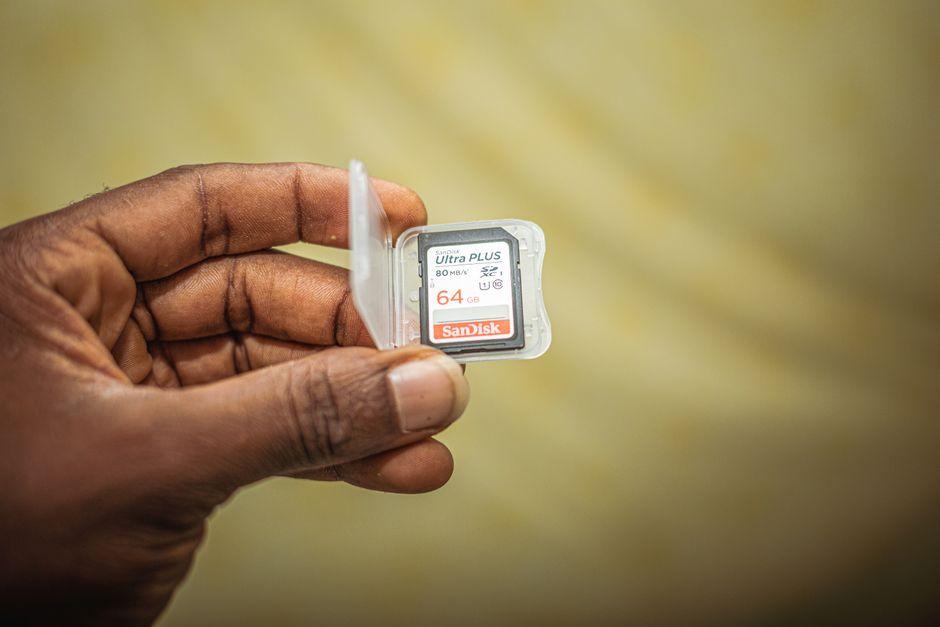
A memory card seems like a small purchase until it interrupts recording or slows editing. Photographers and videographers need storage that matches their equipment, not simply the most expensive option available. A V60 SD card can offer a sensible balance between sustained writing performance and cost for demanding video and photography. But its label is only the beginning. Camera compatibility, file sizes, capacity, and transfer habits determine whether extra speed makes sense.
Understand What V60 Actually Guarantees
The V60 marking refers to Video Speed Class 60, meaning a minimum sustained sequential write speed of 60 megabytes per second under specified conditions. That is different from the impressive peak speeds printed on packaging.
For video, steady writing matters because the camera must continually save incoming information. If a card cannot meet the recording mode’s requirements, the camera may stop a recording or restrict available settings. With still photography, faster writing can help clear the camera’s buffer between bursts, depending on the camera.
V60 is not automatically necessary for every 4K video mode. Check the exact bitrate and manufacturer’s stated card requirements first.
Compare Card Families With Your Workflow in Mind
Two memory cards can carry the same V60 rating yet differ substantially in maximum performance, capacities, and features. Comparing them prevents unnecessary spending.
For example, Lexar International compares two V60 card lines, distinguishing its Professional 1800x GOLD and 1667x SILVER series. Both meet the V60 classification and use UHS-II, but the GOLD line advertises faster peak transfers and a wider capacity range. The SILVER line offers the same minimum video speed class with more modest peak figures. Those differences affect transfers but do not make one universally better.
Focus on your recording requirements before comparing the numbers on the packaging.
Read the Speed Labels Without Getting Lost
SD card labels combine several measurements. Video Speed Class describes a minimum sequential write rate, while maximum read speed generally indicates how quickly footage might move from the card to another device in favorable conditions. UHS-II refers to an interface, not a promise of identical results across every camera.
The SD Association’s speed class explanation clarifies why different marks exist and how video recording depends on sustained data transfer. V30 represents a lower guaranteed writing threshold, while V90 provides a higher one.
An advertised peak may not be sustained during recording. Compare like with like and prioritize your camera’s specific requirements.
Check the Camera Before Buying Faster Storage
A fast card cannot overcome an interface limitation inside the camera. Many UHS-II cards are backward compatible with UHS-I slots, but their performance will be limited by the slower connection. Some cameras even provide two slots with different capabilities.
Read the camera manual for demanding settings. A camera may accept an SD card for ordinary photography while requiring a faster class for a particular video codec. Confirm capacity support as well, especially with older equipment.
Also check your card reader. Faster offloading usually requires a compatible reader and computer connection. Otherwise, you might purchase higher transfer performance and never experience it during editing.
Work Out How Much Space a Shoot Needs
Capacity determines how often you must stop to change cards. Calculate it from your typical recording bitrate, duration, and still-photo file size rather than assuming one capacity suits every assignment. Higher resolution does not always mean higher bitrate, because compression choices differ.
An approximate example makes the distinction clearer: at 200 megabits per second, an hour of footage uses about 90 gigabytes before overhead. Your camera may differ; check its recording menu.
Several moderate-capacity cards can spread footage across separate media, while a larger card reduces interruptions. Neither option replaces prompt backups. Match the arrangement to your shooting schedule and tolerance for switching cards.
Build Reliability Into the Shooting Routine
Memory cards are convenient, but they are not permanent archives. Files can be lost through damage, accidental formatting, counterfeit media, or handling mistakes. Treat the original card as temporary working storage until its contents have been backed up and checked.
The SD Association’s speed class overview also makes clear that speed guarantees apply under defined technical conditions. Reliable operation therefore depends on matching media to devices and their supported modes, not relying on a label in isolation.
Buy from reputable sellers and test cards before assignments. Format cards in the camera when recommended, and avoid removing them while files are being written.
Consider Transfer Time Alongside Recording Time
A long recording day does not end when you switch the camera off. Hundreds of gigabytes may still need to move into an editing system. Faster read performance can save time when copying files, especially for creators handling frequent, large projects.
Yet the gain depends on the whole chain: card, reader, connection, and destination storage. If the computer’s port or external drive is slower, the card’s maximum figure becomes less meaningful. Think about how often you transfer footage and whether a few minutes saved genuinely improve your work.
The right card may be the one that records dependably rather than the one boasting the fastest laboratory result.
Spend on the Performance You Will Use
Begin with the camera’s supported format, the most demanding settings you actually select, and the amount of material you record between backups. Then compare suitable cards for sustained speed, capacity, warranty terms, and sensible pricing.
If your requirements fit V30, moving to V60 may offer useful headroom but is not automatically essential. If a camera specifies V90 for a particular mode, a V60 card should not be treated as a substitute simply because its advertised peak speed looks high.
A smart purchase supports your workflow without turning technical specifications into a contest. Spend enough for compatibility and dependable performance, then put the remaining budget toward the equipment and preparation that help you capture better work. Remember that good backup habits and a compatible reader often deliver more practical value than buying another expensive card.