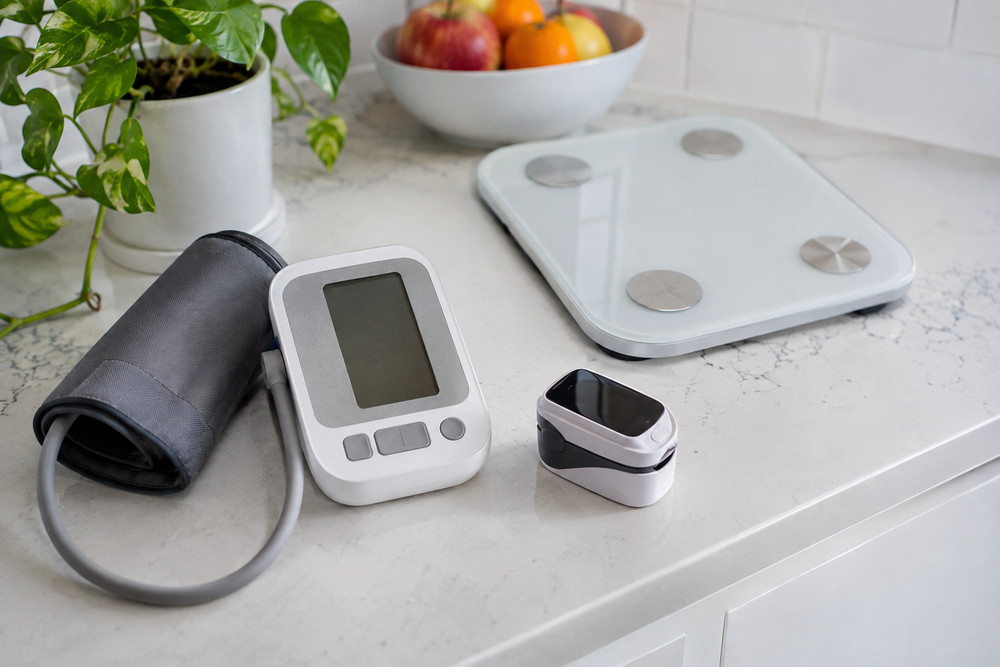
Remote monitoring can extend support between appointments, but connected devices alone do not create an effective care program. Each reading, reminder, message, and alert needs a clear path, so patients receive appropriate follow-up and care teams can focus on meaningful clinical interactions.
For healthcare organizations building coordinated programs, remote care management services from CoachCare help connect patient engagement, clinical support, connected health data, and workflow coordination. CoachCare supports care areas such as remote patient monitoring and chronic care management, helping teams coordinate enrollment, monitoring, outreach, and ongoing patient support. With remote patient monitoring software from CoachCare, providers can better organize device data and patient communication as part of a more connected approach to care.
Start With a Clear Patient and Care-Team Goal
Begin with one condition, care transition, or patient population. A hypertension program may focus on identifying concerning blood pressure patterns. A diabetes program may focus on consistent glucose tracking and medication conversations. A post-discharge program may focus on recognizing problems before they become urgent.
Set a goal that both patients and staff can understand. Useful goals may include improving medication adherence, reducing missed readings, facilitating faster follow-up, or improving communication between visits. A narrow starting point makes it easier to define responsibilities and evaluate whether the workflow is helping.
Map the Workflow Before Choosing Technology
Before selecting devices or software, map the entire patient journey. Identify how a patient is referred, who confirms eligibility, what information is collected at home, who reviews it, and where the team documents its actions. A workflow should answer practical questions before the first patient is enrolled.
- Define the enrollment trigger and the staff member responsible for outreach.
- List the readings, symptoms, or check-ins patients will submit.
- Assign ownership for routine review, alerts, patient messages, and documentation.
- Set response expectations for missed readings, repeated abnormal values, and urgent concerns.
- Decide how updates reach the provider and are incorporated into the patient record.
When evaluating remote patient monitoring software, teams should look beyond device connectivity. The right setup should support the actual workflow, including patient education, triage, communication, and visibility into outstanding tasks.
Consider a patient who submits a high blood pressure reading. A well-planned process does not leave that value sitting in an inbox. It checks whether the reading meets an established threshold, reviews recent trends and symptoms, assigns outreach to the appropriate team member, records the contact attempt, and identifies when provider review is needed.
Make Enrollment Simple and Patient-Centered
Enrollment is the first test of the program’s usability. Explain in plain language what the program monitors, why the information matters, and what patients can expect after they submit a reading. Demonstrate device setup, charging, pairing, and daily use rather than assuming written instructions are sufficient.
Patients also need a clear way to ask for help. Account for language preferences, disability access, limited internet connectivity, and varying comfort with technology. A patient who cannot use a device confidently may stop participating, even when they want the support the program provides.
Build Alerts Around Action, Not Noise
An alert is only useful when it leads to a clear next step. If every minor variation creates an immediate notification, staff may spend too much time sorting low-risk information while important patterns compete for attention. Alert rules should reflect the condition being monitored, the patient’s care plan, and the clinical team’s capacity to respond.
Use patient-specific thresholds when appropriate, group low-risk items for routine review, and establish separate rules for repeated alerts, sudden changes, and missing data. Current discussion of remote patient monitoring workflow quality emphasizes that sustainable programs require staffing, engagement, documentation, and meaningful clinical response, not simply more connected devices.
Every alert should have an owner and a response expectation. If the team cannot state who reviews an alert and what happens next, the rule needs to be clarified before it is activated.
Keep Human Support at the Center
Automation can send reminders, confirm receipt of readings, and help organize tasks. It should support, rather than replace, human judgment and patient contact. Short, helpful messages can encourage participation, but a conversation may reveal information that a device cannot capture.
For example, a patient with several missed readings may not be disengaged. A quick call could uncover a dead battery, a cuff that no longer fits comfortably, or confusion about how often to measure. Resolving the barrier is often more productive than sending repeated automated notices.
Connect Remote Data to Existing Clinical Work
Care teams should not have to search through multiple disconnected systems to understand a patient’s status. Shared patient histories, task lists, messaging tools, and documentation processes help reduce duplicate entry and make follow-up easier to track.
Test the workflow with the people who will use it every day. Ask staff whether they can quickly identify the next task, find prior outreach, document an action, and escalate an issue. Pilot feedback can reveal bottlenecks before a program expands.
Create a Practical Escalation Path
A simple three-level model helps teams distinguish routine work from situations requiring faster attention:
- Level One, Routine: The reading is expected or has already been addressed, so no immediate action is needed.
- Level Two, Review: A reading, pattern, or missed check-in requires staff review and may lead to patient outreach.
- Level Three, Urgent: The situation meets program criteria for prompt clinical action or emergency guidance.
Escalation rules should align with the patient’s individualized care plan and clinical protocols. They support consistency, but they do not replace professional clinical judgment.
Measure Whether the Workflow Is Working
Review operational measures each month to find delays, confusion, or low participation. Useful measures include:
- Enrollment and activation rates
- The percentage of expected readings received
- Time from alert to review
- Time from review to patient contact
- Unresolved alerts and overdue tasks
- Patient feedback about ease of use and communication
- Relevant care gaps, avoidable visits, or admissions when the program is designed to evaluate them
Protect Privacy and Build Trust
Tell patients what information is collected, who can view it, and how it informs care decisions. Use secure systems, role-based access, and clear consent processes. Do not collect information that the care team does not intend to review or use.
Patients are more likely to participate when expectations are clear. The broader remote patient monitoring model depends on home-based health information being paired with defined clinical review and follow-up, rather than being treated as data for its own sake.
Common Questions About Remote Monitoring Workflows
What makes a workflow effective?
An effective workflow connects patient education, data review, staff responsibility, escalation rules, documentation, and follow-up. At every point, the next action should be clear.
How often should patient data be reviewed?
Review timing depends on patient risk, the condition being monitored, the type of information collected, and the care plan. Define the schedule before enrollment begins.
Can small practices start with a limited program?
Yes. Start with one condition, one patient group, and a short list of measurable goals. Improve the process before adding more devices, patients, or service lines.
A Five-Step Checklist for 2026
- Choose one clear patient-care goal.
- Map every step from enrollment through follow-up.
- Assign an owner for every alert and task.
- Test the process with staff and patients.
- Review results regularly and improve the workflow.
Final Takeaway
Remote monitoring works best when no reading is left without a purpose, and no patient is left wondering what happens next. By bringing people, processes, and technology together, healthcare teams can turn streams of health data into timely action and more consistent support. The real measure of a successful program is not how much information it collects, but how effectively that information helps care teams make every follow-up count.